TL;DR
Digital poker chips (also called virtual poker chips) replace physical clay or plastic chips with real-time numeric balances on every player's phone. Party Pot is a free digital poker chips app with custom blind structures, automatic dealer rotation, automatic small-blind / big-blind posting, automatic side pot splitting, one-tap host payouts, and end-of-game auto-settlement — designed for home poker games played with a real deck of cards, no physical chips required.
From the host
Two months ago we ran a home tournament with hand-written blind levels on a sticky note. Around level 6 someone called “BB is 200, right?” and three of us said different numbers. The argument lasted longer than the next hand. That was the week auto-blinds graduated from a roadmap item to a thing we were going to ship next sprint.— Joelle, PartyPot
If you've ever been the person stuck counting chips at the end of a 4-hour home poker session while everyone else eats the last of the pizza, you already know the problem digital poker chips solve. This is the complete guide to virtual poker chips and custom blind structures — what they are, why home poker hosts are ditching physical chip sets for them, and how Party Pot handles every part of a home poker night from buy-in through final settlement.
What Are Digital Poker Chips? (And Virtual Poker Chips — Same Thing)
Digital poker chips are numeric chip balances stored in a shared app that replace physical clay, ceramic, or plastic poker chips during a live in-person game. Every player sees their current chip count on their own phone, every bet updates the shared ledger in real time, and the app handles all the math — counting, pot totals, side pots, and final settlement.
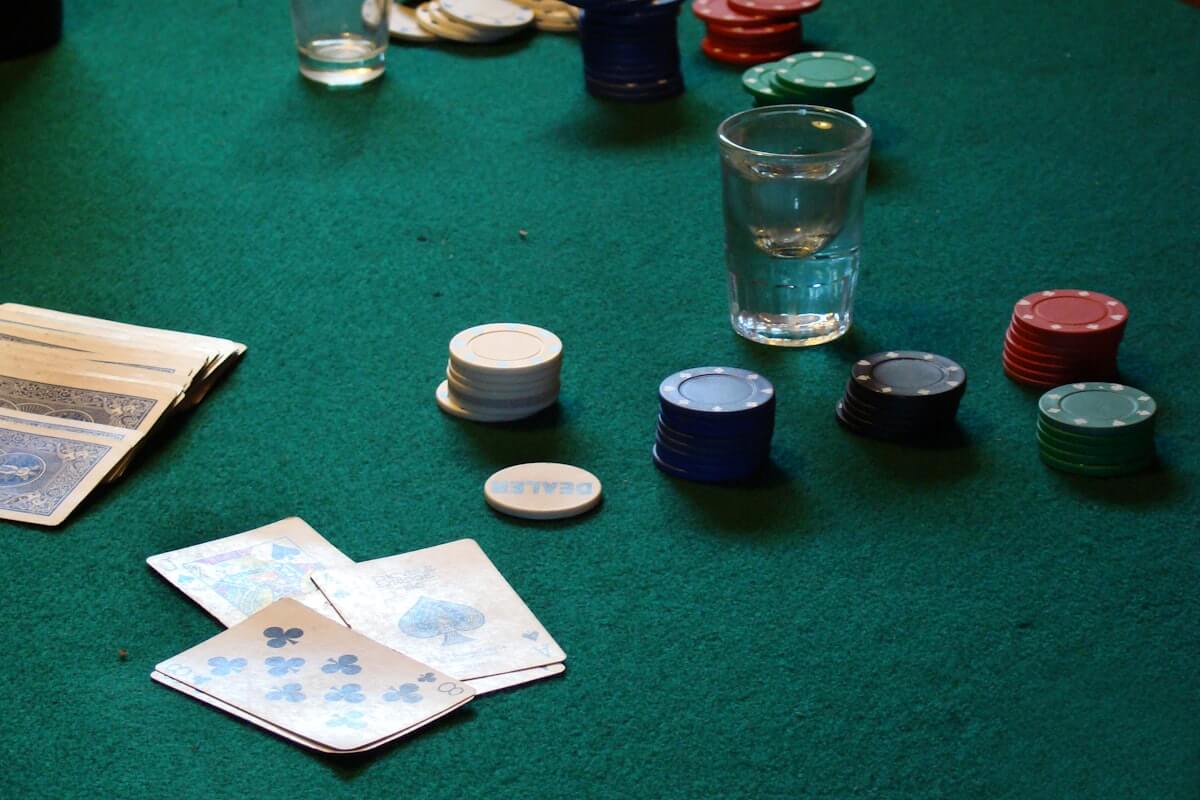
Virtual poker chips is the same concept under a different name. Some people use “virtual” when they mean online-only poker (like PokerStars, where everything is simulated). In this guide, both terms mean the same thing: numeric chip tracking for a real physical poker game with a real deck of cards and real players sitting at a real table. You shuffle, you deal, you bluff, you read your opponents' tells — only the chip counting moves into an app.
Why home poker players are switching to digital chips
- Cost. A decent 500-piece clay chip set costs $80 to $200. A free app on every player's phone costs $0.
- No physical inventory. No cases to lug, no chips rolling under the couch, no lost denominations, no tournament re-coloring headaches.
- Perfect counts. A numeric balance is always accurate to the dollar. No “wait, how many blacks did you have?”
- No permanent banker. Nobody has to volunteer to be the recordkeeper for the night. The app is the banker.
- Instant settlement. End-of-night “who owes who” math that used to take 20 minutes now takes one tap.
How Party Pot Handles Digital Poker Chips, Step by Step
Party Pot covers the full home-poker lifecycle — from the moment a player joins the table to the moment everyone walks away settled up. Here's every stage:
1. Join the table
The host creates a room in Party Pot and taps Poker Mode. Party Pot generates a QR code. Everyone around the table scans the code with their phone, enters a display name, and lands in the shared room. No sign-up, no email, no password — just scan and sit down.
2. Buy in
Each player buys in for the agreed amount. Party Pot tracks every player's buy-in total and their current table stack separately, so at the end of the night you know exactly how much each person put into the game. Buy-ins make a satisfying sound cue — Party Pot plays an audio chime when money hits your balance, when you post a bet, raise, check, or receive a payout, so you feel the chips moving even though they're digital.
3. Wait your turn
Party Pot's Poker Mode tracks the turn order automatically. The dealer button rotates one seat clockwise after each hand; the small blind and big blind post automatically at the start of every new hand; and the app highlights whose turn it is to act. Nobody has to keep asking “whose turn is it?” or “did I post the blind yet?” — Party Pot already knows.
4. Perform your action
When it's your turn, you tap the action you're making — check, bet, call, raise, fold, or all-in. The amount you bet transfers from your balance to the Center Pot (the shared digital pot for the current hand). Every other player sees your action and the updated pot total in real time on their own phone.
5. Automatic side pot splitting
When a player goes all-in with fewer chips than the others, Party Pot automatically creates a side pot so the remaining active players can keep betting against each other without freezing out the all-in player from the main pot. At showdown, the main pot and side pots are awarded correctly without any mental math. Read the worked side-pot example in our complete chipless home poker hosting guide.
6. Host payouts
At the end of each hand, the winning player taps Claim Pot and the full pot amount lands in their balance. For split pots (two players with the same winning hand), the host splits the pot by entering the split amounts in Party Pot and confirms. All of it is logged to the transaction history so every player can scroll back and audit anything they don't remember.
7. Rebuys when a player busts
If a player runs out of chips mid-session, the host taps their name, taps Add Funds, enters the rebuy amount, and confirms. The player is back in the game in two seconds. Rebuys are flagged as rebuys in the transaction log so at settlement time you can see exactly how much each player re-invested.
8. Leaving the table mid-game
Players can cash out and leave whenever they want. The host processes the cash-out, the player's final balance is locked into the settlement record, and Party Pot automatically removes them from the turn order. The dealer button and blind assignments shift to cover the empty seat, and the game continues. The host can also manually rearrange the seat order if someone else joins later or swaps seats.
9. End-of-game automatic settlement
When the game is over, anyone taps Settle Up. Party Pot's Smart Settlement algorithm reads every player's final balance, computes their net position (total won minus total bought in), and outputs the minimum set of real-world transfers needed to zero everyone out. A 6-player session that would normally require up to 15 pair-wise payments collapses to 3 or 4 clean transfers. Pay each other in cash, bank transfer, or an IOU for next session — Party Pot tells you the amounts, you choose how to move the money.
Real Deck of Cards, Digital Chips: The Best of Both Worlds
The best home poker game isn't fully physical and isn't fully digital. Fully-physical means you're counting chips, arguing about denominations, and spending the last 20 minutes of every session figuring out who owes whom. Fully-digital means you're playing PokerStars alone at 2am against strangers — no real opponents across the table, no tells, no banter, no social experience.
Party Pot is the hybrid: real deck of cards, real friends, real table — digital chips and automatic settlement. You still shuffle. You still deal. You still stare your opponent down across the table trying to decide if they're bluffing. Party Pot handles everything that used to be a chore — chip counting, blind structure tracking, side pot math, dealer rotation, final settlement — so the humans can focus on the game.
Custom Blind Structures in Party Pot
Custom blind structures are the escalating sequence of small- and big-blind levels that give a poker tournament its pacing. A slow blind structure makes the tournament deeper and more skill-weighted; a fast structure makes it shorter and more action-heavy. The right structure for a Friday-night home game is different from a serious 3-hour tournament, and a quick pickup game with friends needs something different again.
Party Pot's Poker Mode ships with multiple preset blind structures and also lets you build your own from scratch. Pick a preset, tweak a preset, or configure every level yourself.
Preset blind structures
| Structure | Level length | Feel |
|---|---|---|
| Slow | 20 minutes | Serious 3–5 hour home tournament; skill-weighted |
| Standard | 15 minutes | Typical 2–3 hour home tournament |
| Turbo | 10 minutes | Fast-action 1–2 hour Friday night |
| Hyper | 5 minutes | Quick 30–60 minute pickup game |
| Custom | Whatever you want | Fully user-configured — every level, every duration |
Building a fully custom blind structure
When the presets don't fit the game you want to run, Party Pot lets you enter your own sequence of blind levels. For each level you set:
- Small blind amount
- Big blind amount (usually 2× the small blind)
- Ante (if you want to add antes from a specific level onwards)
- Level duration in minutes
- Break — insert a scheduled break at any level (usually Level 4 or 6 for a mid-game pause)
Party Pot then runs the structure automatically: the level clock counts down, the app chimes when a new level starts, and the new blind amounts take effect on the next hand. No paper schedule. No setting a kitchen timer. No wondering whether anyone forgot to bump the blinds at the last level.
Automatic dealer button + automatic blind posting
The hidden win of Party Pot's blind system is that you don't have to manually assign dealer duties or track who's posting which blind. Every new hand:
- The dealer button advances one seat clockwise
- The player to the left of the button is automatically assigned the small blind
- The next player is automatically assigned the big blind
- Both blinds are posted automatically (chips move from player balances to the Center Pot)
- The turn pointer moves to the first player left of the big blind for preflop action
In a traditional home game, one person ends up as the “permanent dealer and recordkeeper” by default — and nobody loves that role. With Party Pot handling blind rotation and turn order, everyone actually gets to play every hand instead of one person spending the night staring at a spreadsheet.
Rearranging seats mid-game
Players show up late. Players leave early. Someone swaps seats for a better view. Party Pot's host can manually drag players into a new seat order at any time, and the blind/dealer rotation picks up cleanly from the new arrangement. The transaction history keeps a full record of every seat change so there's no confusion at settlement.
What Home Poker Players Actually Want from a Digital Chips App
If you read the reviews of every digital poker chips app on the iOS and Google Play store, the same themes come up over and over. Here's what real home poker hosts ask for, and how Party Pot handles each one.
| What players want | Party Pot |
|---|---|
| Free — no subscription, no paywall | Yes, completely free |
| No ads | Zero ads |
| No sign-up, no login, no email | No account needed — just scan and play |
| Play with a real deck of cards | Yes — Party Pot handles chips and blinds, you handle the cards |
| Fits more than 6 players | Up to 20 players per room — no 6-seat limit |
| Sufficient variations in starting chips and blind escalation | Preset structures (slow/standard/turbo/hyper) + fully custom blind builder |
| Nobody wants to be the permanent dealer / recordkeeper | Automatic dealer rotation and automatic blind posting — the app is the dealer |
| Rebuy support | Two-tap rebuy, logged to the transaction history |
| Sound feedback on chip movements | Audio chimes on buy-in, bet, raise, check, payout |
| Robust turn tracking | Automatic turn advancement, clear whose-turn indicator |
| End-of-night settlement that doesn't take 20 minutes | One-tap Smart Settlement — minimum-transfer algorithm |
The recurring pain point in home poker is not the game itself — it's the chore of tracking it. Physical chips get miscounted. Someone forgets they rebought. The big blind is wrong two hands in a row because nobody remembered to bump the level. Somebody has to be the bookkeeper, and that somebody resents it by the end of the night. A proper digital poker chips app with custom blind structures and automatic dealer management removes all of that — and that's exactly what Party Pot was built for.
Party Pot Poker Mode — Feature Summary
- Digital / virtual poker chips — numeric chip balances for up to 20 players per room
- Custom blind structures — preset slow/standard/turbo/hyper + fully custom blind builder with ante support
- Automatic dealer button rotation — clockwise, one seat per hand
- Automatic small/big blind posting — blinds deducted from player balances at the start of every hand
- Automatic turn advancement — app highlights whose turn it is to act
- Player actions — check, bet, call, raise, fold, all-in, via one-tap buttons
- Automatic side pot splitting — all-in scenarios handled without mental math
- Rebuys — two-tap add-funds flow, logged as rebuys for accurate settlement
- Host payouts — tap Claim Pot to transfer the pot to the winner
- Leave table — players can cash out mid-game; host reshuffles the seat order
- Automatic end-of-game settlement — Smart Settlement algorithm computes minimum-transfer payout list
- Audio feedback — chimes on buy-in, bet, raise, check, payout
- Full transaction history — every action timestamped and visible to every player
- Real deck of cards — Party Pot tracks money, you deal the cards
- Free, no ads, no account needed — download and play
Get Party Pot — Digital Poker Chips & Custom Blinds
Free. No ads. No account. Real deck of cards, real friends, real poker — digital chips and automatic settlement.
Related reading: How to Play Poker Without Chips for the complete hosting walkthrough with worked side-pot and settlement examples; Home Poker Rules — Complete Beginner's Guide for hand rankings, betting rounds, blinds, and house rules; and Are Digital Poker Wallets Safe & Legal for Home Games? for the safety, legality, and Venmo/CashApp trap.
Chips in your phone. Cards in your hand. Friends at the table. ♠️